v1.0 Livestream Codes
Updated for Jan 2026. Claim 1000+ Oroberyl & Upgrade Mats.
Working Codes
Verified v1.0* Expires Jan 29, 2026 @ 11:59 PM
* Expires Jan 29, 2026
* Valid on PC Client only
No expired codes yet. The game just launched! 🚀
Inactive codes will be moved here for reference.
How to Redeem Visual Guide
Open the Paimon menu (ESC on PC)
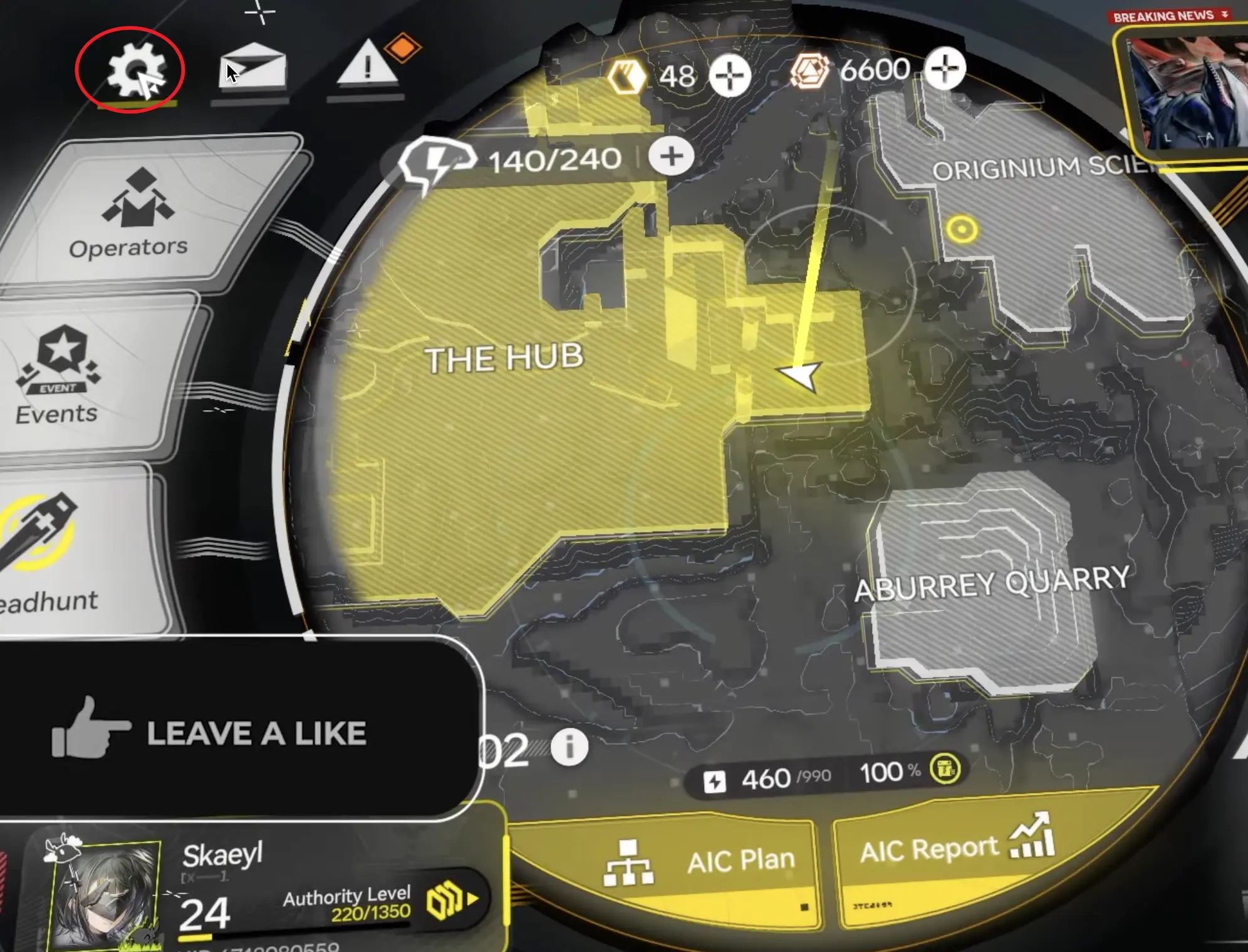
Click the Settings icon (Gear symbol)
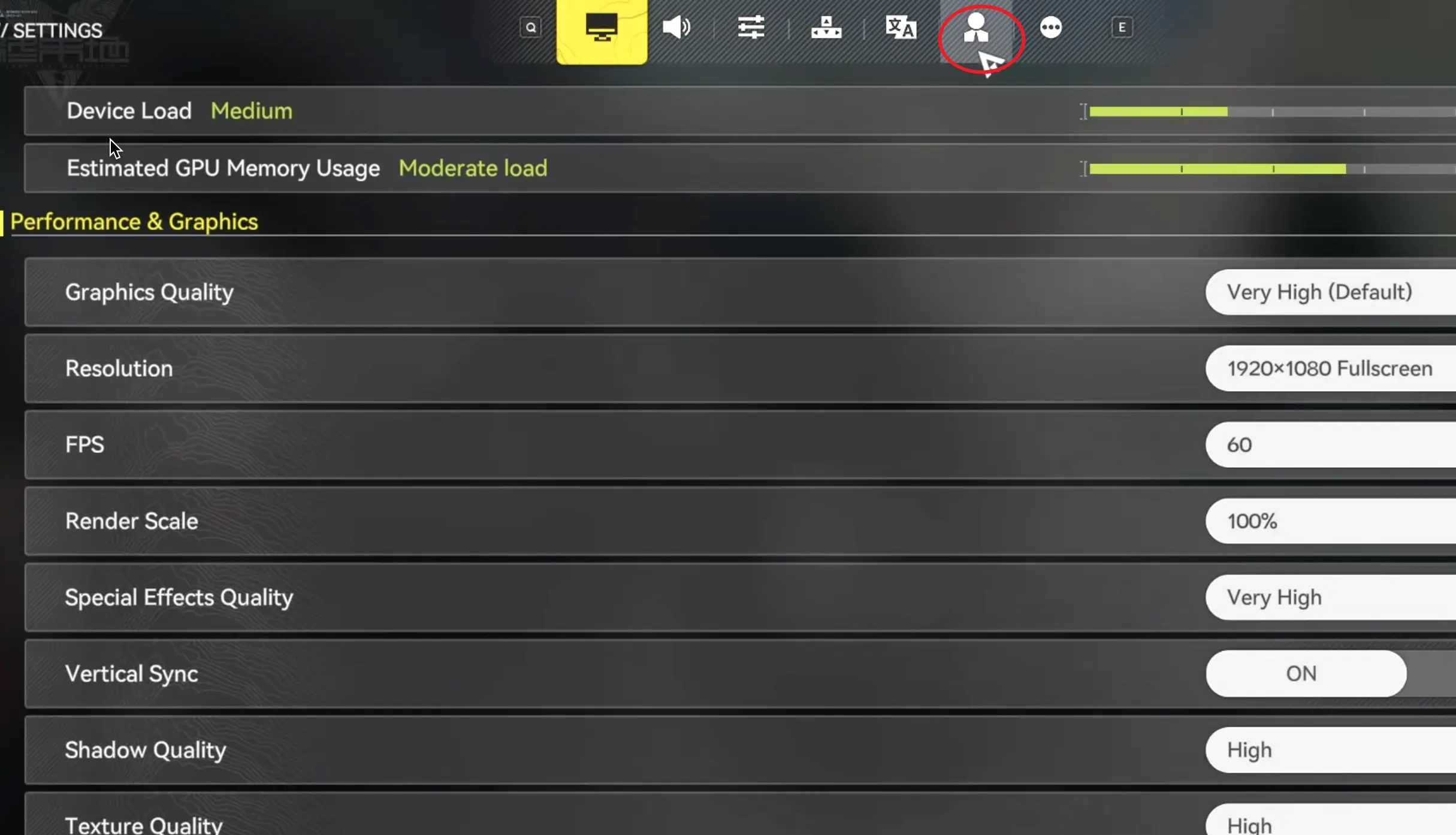
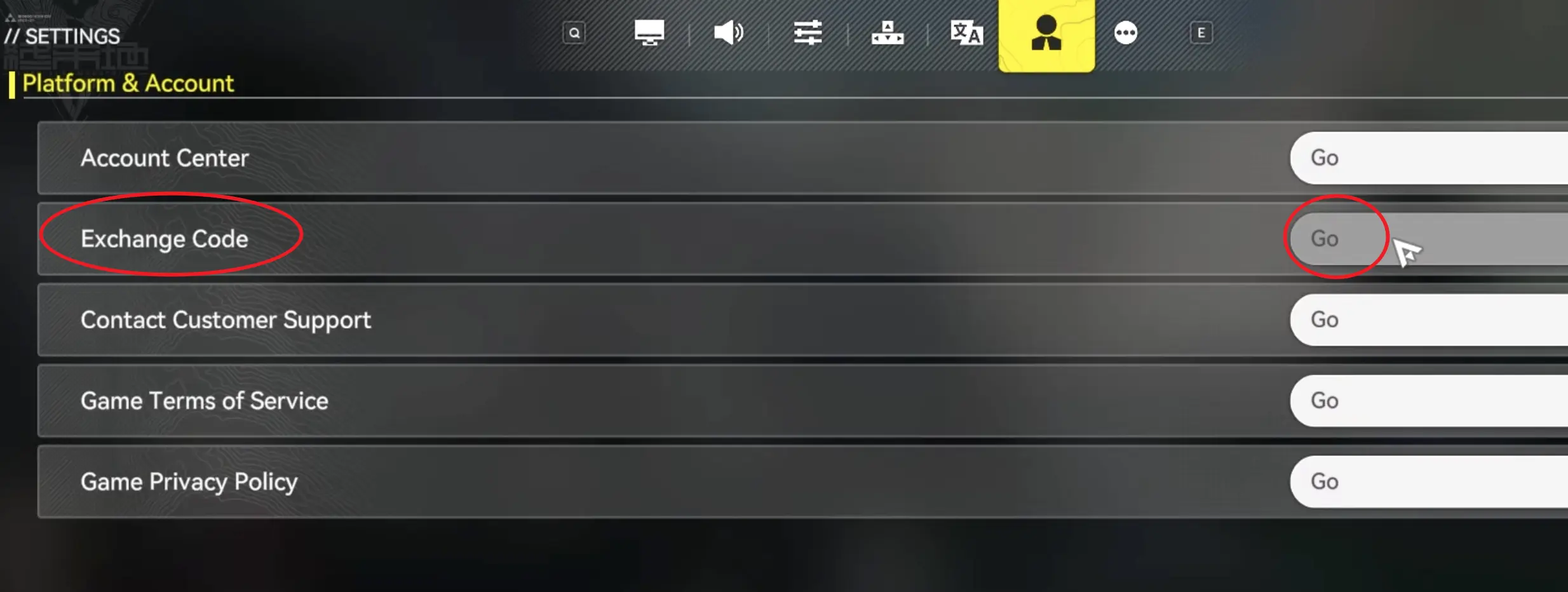
Go to Account tab & click Exchange Code
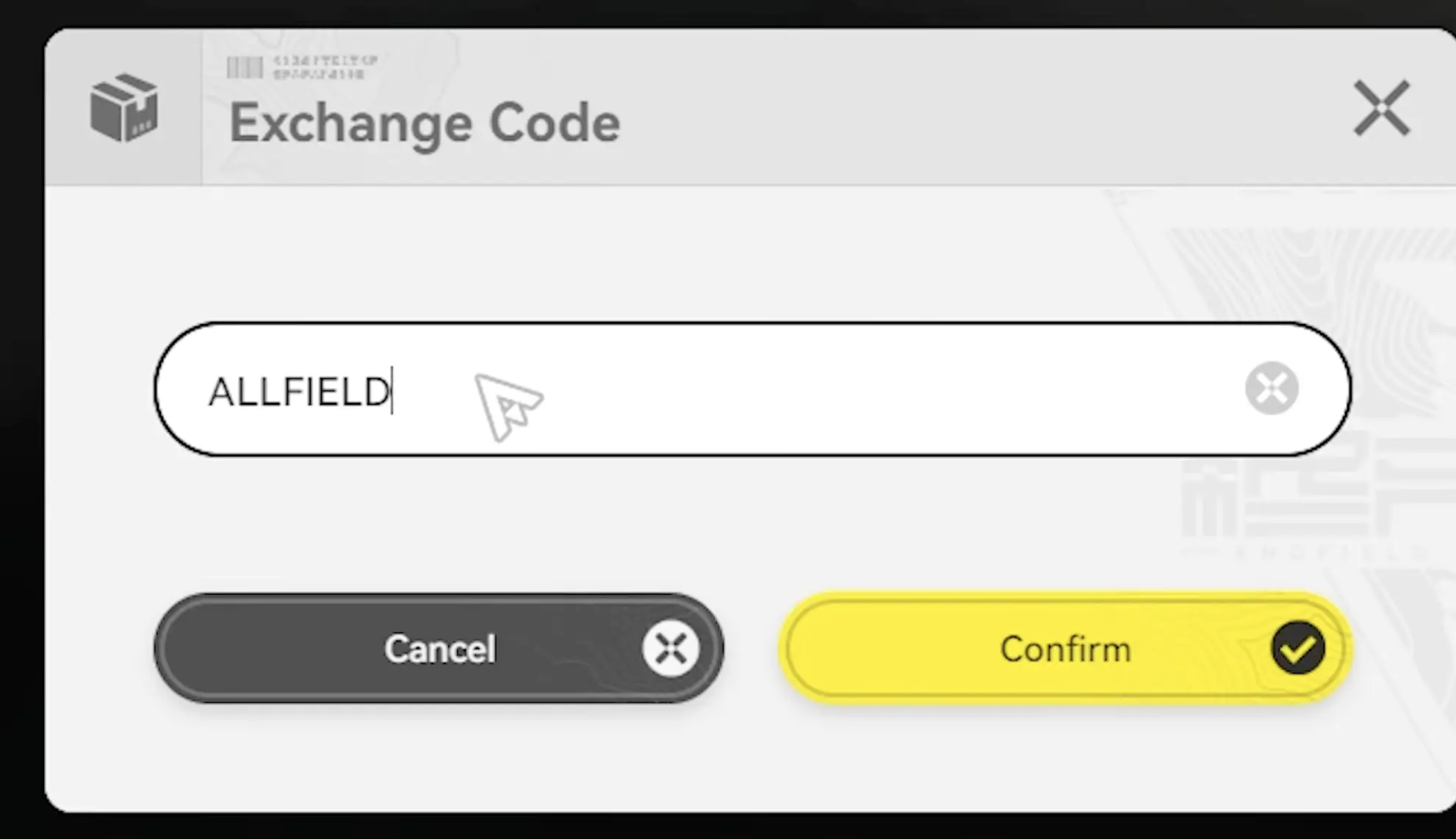
Paste code & Confirm. Check mail for rewards.
Troubleshooting: Code Invalid?
Common Error Messages
- "CDK Expired": The v1.0 Livestream codes (ALLFIELD, etc.) are strictly valid only until Jan 29.
- "Invalid Exchange Code": Check for typos. Endfield codes are case-sensitive (use uppercase).
- "Already Redeemed": Each code works once per UID.
Quick Fixes
- Remove Spaces: Ensure there are no hidden spaces at the start or end of the code.
- Restart Game: If rewards don't appear in mail, relog to force a server refresh.
- Check Server: Ensure you are redeeming on the correct server (Global vs CN).
Frequently Asked Questions
How do I redeem codes on iOS (iPhone/iPad)? ▼
Due to Apple's App Store policies regarding digital goods, the "Exchange Code" button is sometimes hidden in the iOS app settings.
Solution: You can redeem codes through the official Arknights: Endfield website redemption portal. Simply log in with your account or enter your UID to claim rewards directly to your mailbox.
What is Oroberyl and what is it used for? ▼
Oroberyl is the premium currency in Arknights: Endfield (equivalent to Orundum in the original Arknights).
- Primary Use: Converting into Nuclei for the Gacha system to pull new Characters (Operators) and Weapons.
- Other Uses: Refilling stamina (sanity) or buying special bundles, though saving for pulls is recommended for F2P players.